Can You Take a Passport Photo with Earbuds? What You Need to Know
Last Update: February 23, 2026
Taking a passport photo sounds simple, but the rules are stricter than most people expect. Even small details, like wearing earbuds,can lead to your photo being rejected.
So, can you wear them?
No. Earbuds need to be removed before taking your passport photo.
For full official rules, see our complete guide to passport photo requirements.
Earbuds and Passport Photos: What the Rules Say
Passport photo guidelines are set by authorities like the U.S. Department of State and the International Civil Aviation Organization. The goal is straightforward: your identity must be clear and easy to verify.
That means your full face, including both ears, should be visible. Since earbuds sit in or over the ears, they count as an obstruction, even if they’re small or discreet.
Why Even Small Accessories Can Cause Problems
It might seem overly picky, but there’s a reason behind it. Passport photos aren’t just for visual identification, they’re also used in systems that rely on precise facial details.
Even something minor can cause issues:
-
Your ears are part of your identifiable features
-
Obstructions can interfere with recognition systems
-
Small objects may create shadows or distort the image
-
Consistency across official documents matters
Because of this, even barely noticeable accessories are not allowed.
What You Should Do Before Taking Your Photo
The easiest way to avoid problems is to keep things simple. Before taking your photo:
-
Remove earbuds, headphones, or similar items
-
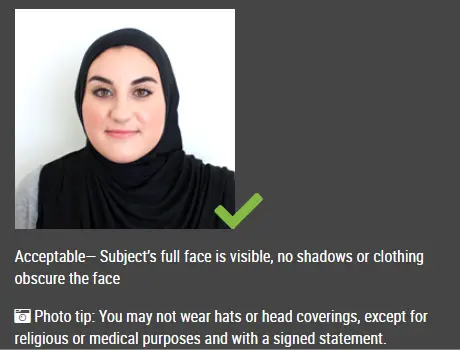
Make sure your ears are visible (move hair if needed)
-
Stand against a plain, light-colored background
-
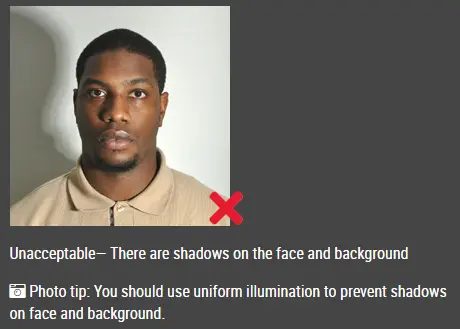
Use even lighting with no harsh shadows
-
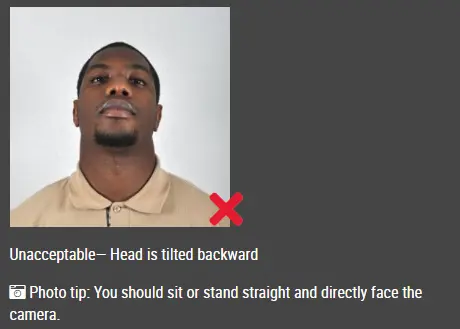
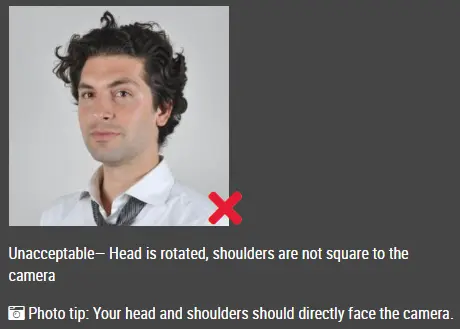
Keep your head straight and your expression neutral
These small steps can save you from having to retake the photo later.
Common Questions
Do very small or skin-colored earbuds make a difference?
No. Size or color doesn’t matter—they still aren’t allowed.
What if my hair covers them?
That doesn’t help. If they’re there at all, the photo can still be rejected.
Are headphones treated differently?
No. The same rule applies.
What about hearing devices?
Medical devices like hearing aids are typically allowed.
Earbuds might seem like a minor detail, but passport photo requirements leave little room for error. Making sure your ears are fully visible and free of accessories helps avoid delays and keeps your application on track.
Click here to make passport / visa photos