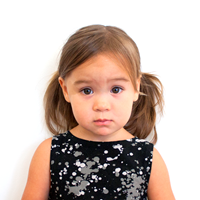
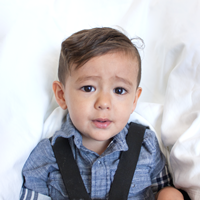
| Passport picture size | Width: 2 inch, Height: 2 inch | ||||||||||||||||||
| Resolution (DPI) | 600 | ||||||||||||||||||
| Background color | White | ||||||||||||||||||
| Printable photo | Yes | ||||||||||||||||||
| Digital photo for online submission | Yes | ||||||||||||||||||
| Digital photo size | Width: 1000 pixels , Height: 1000 pixels | ||||||||||||||||||
| Photo Paper type | matte | ||||||||||||||||||
| Detailed requirements | Digital Photo Requirements Instructions for Submitting a Digital Photograph (Image) for the USA-GREEN-CARD Lottery Registration Entry (DV Lottery)
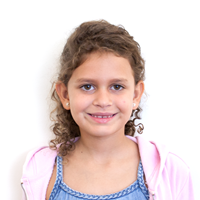
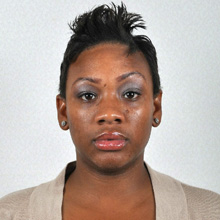
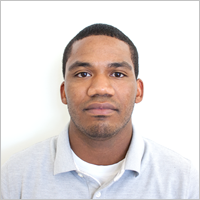
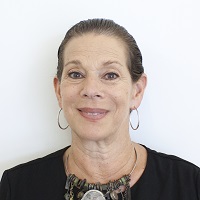
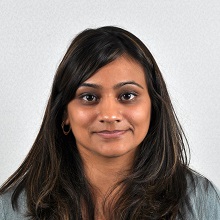
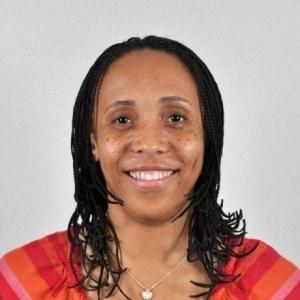
Example Photos
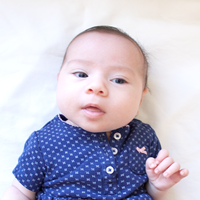
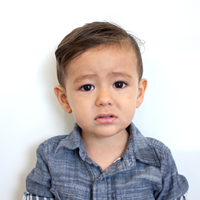
Example Photos for Children
The submitted image must adhere to the following specifications. Photographs submitted must be a recent photograph, taken within the last 6 months. Please be advised that Failure to comply with any of the following requirements may result in Disqualification from the US DV Lottery Program. A digital photograph (image) of you, your spouse, and each child must be submitted online with the E-DV entry form. The image file can be produced either by taking a new digital photograph or by scanning a photographic print with a digital scanner. The image file must adhere to the following compositional and technical specifications and can be produced in one of the following ways: taking a new digital image or using a digital scanner to scan a photograph. Image Acquisition
Compositional Specifications: The submitted digital image must conform to the following compositional specifications or the entry will be disqualified. Content
Acceptable Visa Photos
Head Position
Background
Focus/Resolution
Decorative Items
Color photographs in 24-bit color depth are required Color photographs may be downloaded from a camera to a file in the computer or they may be scanned onto a computer. If you are using a scanner, the settings must be for True Color or 24-bit color mode. See the additional scanning requirements below. Technical Specifications The submitted digital photograph must conform to the following specifications or the system will automatically reject the E-DV entry form and notify the sender. Taking a New Digital Image If a new digital image is taken, it must meet the following specifications:
Scanning a Submitted Photograph Before a photographic print is scanned, it must meet the compositional specifications listed above. If the photographic print meets the print color and compositional specifications, scan the print using the following scanner specifications:
How IDPhotoDIY.com Help you get US Green Card Photo?Follow these simple steps to get 100% compliant US Green Card photo : 1. Select Your Country and Document TypeChoose your country, such as the United States, and select the type of document you need, such as a US passport, visa, or driver’s license. 2. Take or Upload a PhotoTake a clear photo or choose an existing photo from your device. 3. Let the Passport Photo Maker Handle the DetailsOur US Green Card photo maker (2X2 photo maker) will automatically crop, resize, align, and center your photo according to US Green card photo requirements. The process usually takes less than a minute. 4. Review and Download Your PhotoCheck the finished photo and save it to your device. Creating a compliant US Green card photo is quick and simple - let our photo tool take care of the formatting for you.
HOW TO PRINT THE PHOTO Print your final image at the exact size of 2 × 2 inches on photo-quality paper. You can print it using:
If you are printing at home:
After printing, check the size with a ruler. Cut the photo carefully, without cutting into the image. FREQUENTLY ASKED QUESTIONS Is a Green Card photo the same size as a US passport photo? Yes. Both use the standard 2 × 2-inch, or 51 × 51 mm, format. How many photos do I need? Form I-485 applicants are generally asked to provide two identical passport-style photos. Check the instructions for your specific application before filing. How recent should the photo be? Use a recent photo that still accurately reflects your current appearance. Take a new one if your appearance has changed noticeably. Can I smile? Use a natural, neutral expression with your mouth closed and both eyes open. Can I use a selfie? A selfie is not recommended. Ask someone to take the photo with the camera positioned at eye level.
|
Get more information on taking passport photo at home and United States Passport Photos Near Me.
There are three ways you can print your passport photos: