United States NY MTA Metrocard for Seniors Photo Maker
1.5x2 inch Size and Requirements


| Country | United States | ||||||||||||||||||
| Document type | NY MTA Metrocard for Seniors | ||||||||||||||||||
| Passport picture size | Width: 1.5 inch, Height: 2 inch | ||||||||||||||||||
| Resolution (DPI) | 600 | ||||||||||||||||||
| Image definition parameters | Head must be between 1 -1 3/8 inches (25 - 35 mm) from the bottom of the chin to the top of the head |
||||||||||||||||||
| Background color | White | ||||||||||||||||||
| Printable photo | Yes | ||||||||||||||||||
| Digital photo for online submission | Yes | ||||||||||||||||||
| Digital photo size | Width: 1000 pixels , Height: 1000 pixels | ||||||||||||||||||
| Photo Paper type | matte | ||||||||||||||||||
|
Detailed requirements Last Update: July 24, 2026 MTA Reduced-Fare Senior Photo SizeThe current photograph requirements for a senior Reduced-Fare application by mail are:
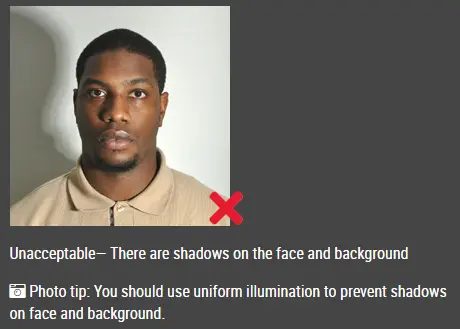
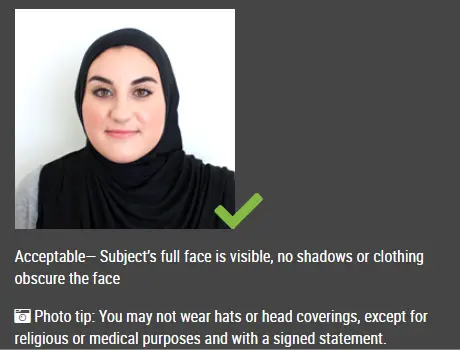
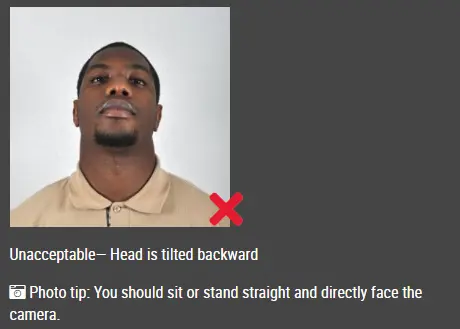
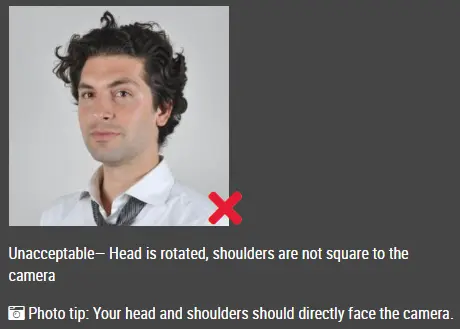
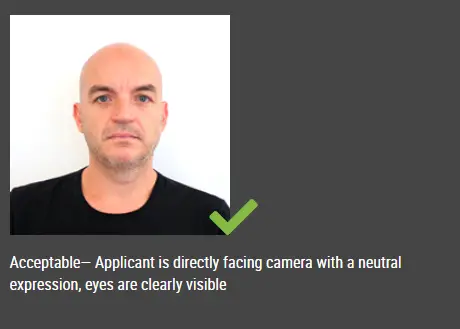
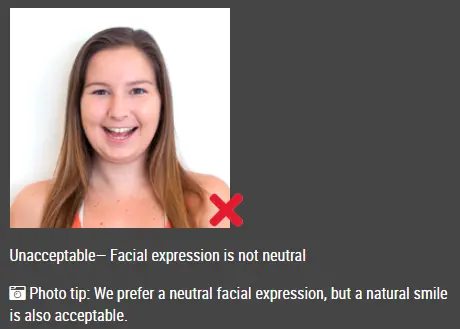
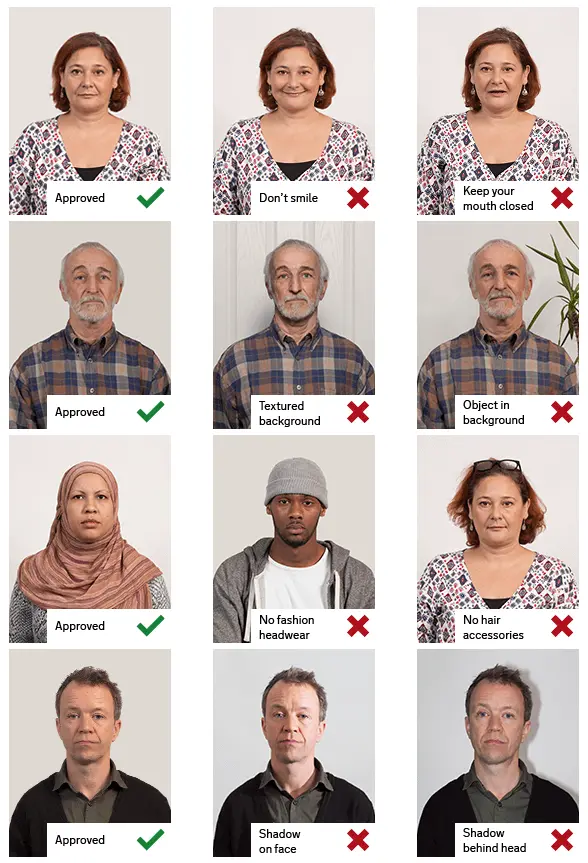
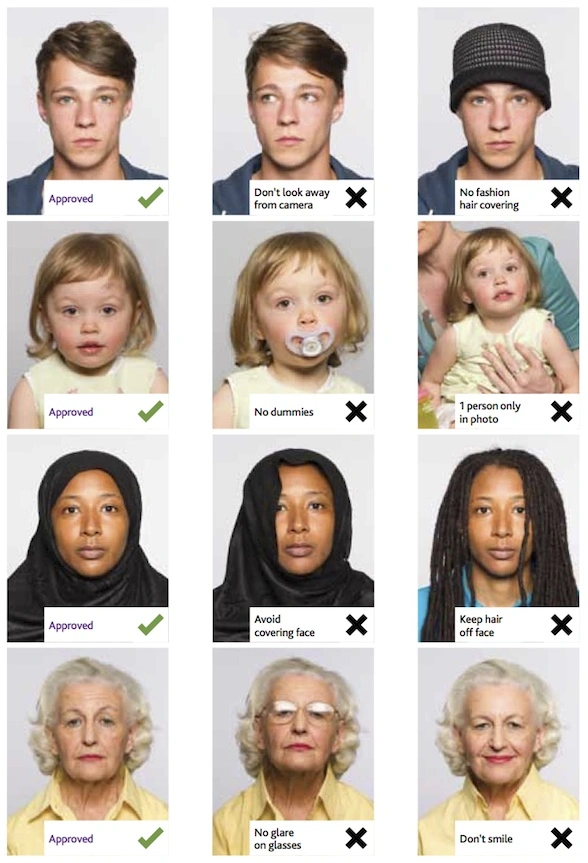
The completed photograph must fit in the photo space provided on the official MTA senior application form. How to Create Your MTA Senior PhotoStep 1: Take and Upload a PhotographTake a recent photograph using a phone or digital camera. Look directly at the camera and make sure your entire face is visible. Upload the original image to our photo tool. Step 2: Crop and Position the PhotographOur tool will adjust the background and crop the photograph into a portrait format measuring 1.5 inches wide by 2 inches high. Step 3: Download and Print the Photograph Download the finished image and print it at 1.5 inches wide by 2 inches high. Use a clear print with sufficient detail for identification. Step 4: Write Your Name on the BackWrite your full name on the back of the printed photograph. Do not write across the front or damage the image. Step 5: Attach It to the ApplicationAttach the photograph in the space provided on the official MTA Reduced-Fare application for senior citizens. Make sure the photograph fits inside the marked area without covering other application information. Common Photo Problems to AvoidYour photograph may not be accepted if:
Frequently Asked Questions What size is an MTA senior Reduced-Fare photo?The photograph must be at least 2 inches high and 1.5 inches wide. The photo should use a vertical portrait orientation. Is the width 1.5 inches or 2 inches?The photograph should be 1.5 inches wide and at least 2 inches high. It should not be 2 inches wide by 1.5 inches high. Does the photograph need a white background?The official MTA application requires a solid background but does not specify that it must be white. A plain white or light-colored background is recommended for clear identification. Does the photograph need to be recent?Yes. The official application requires a recent photograph for applications submitted by mail. Do I need a photograph if I apply in person?You do not need to prepare a separate photograph when applying in person. The MTA provides free photography at its in-person application locations. Can I take the photograph using my phone?Yes. A phone camera can produce a suitable photograph when the image is clear, properly lit and shows a full-front view of your face. Can I use a passport photo?Yes. A passport-style photograph can be used when it measures 1.5 inches wide by at least 2 inches high, has a solid background and provides a clear full-front view of your face. A standard United States passport photograph is usually 2 × 2 inches, so it may need to be cropped to fit the MTA application space. Do I need to write my name on the photograph?Yes. When applying by mail, write your full name on the back of the photograph. Can I submit the photograph online?The MTA’s online Reduced-Fare application is not currently available. Source: https://www.mta.info/fares-tolls/subway-bus/reduced-fare?utm_source=chatgpt.com |
|||||||||||||||||||
| Source | https://www.uscis.gov/working-unite... | ||||||||||||||||||