United States NY Gun License Photo Maker
1.5x1.5 inch Size and Requirements


| Country | United States | ||||||||||||||||||||||
| Document type | NY Gun License | ||||||||||||||||||||||
| Passport picture size | Width: 1.5 inch, Height: 1.5 inch | ||||||||||||||||||||||
| Resolution (DPI) | 600 | ||||||||||||||||||||||
| Image definition parameters | Head must be between 1 -1 3/8 inches (25 - 35 mm) from the bottom of the chin to the top of the head |
||||||||||||||||||||||
| Background color | White | ||||||||||||||||||||||
| Printable photo | Yes | ||||||||||||||||||||||
| Digital photo for online submission | Yes | ||||||||||||||||||||||
| Digital photo size | Width: 1000 pixels , Height: 1000 pixels | ||||||||||||||||||||||
| Photo Paper type | matte | ||||||||||||||||||||||
|
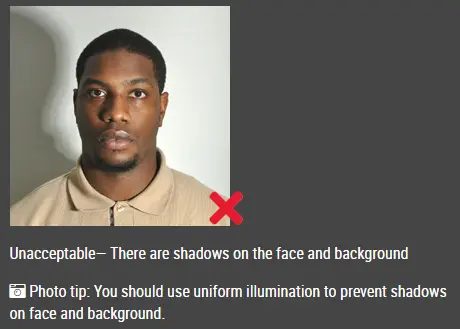
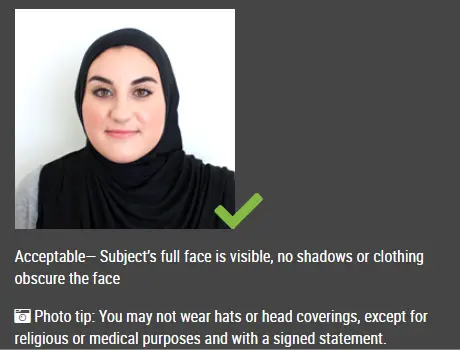
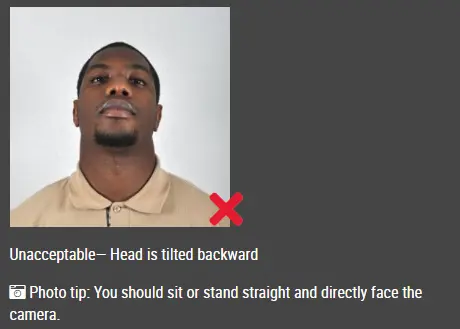
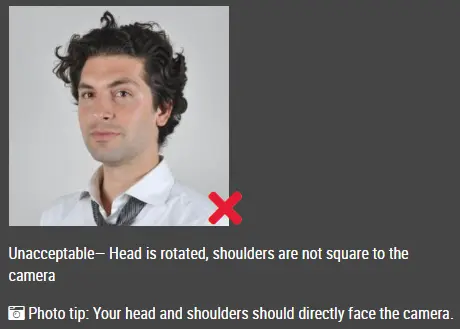
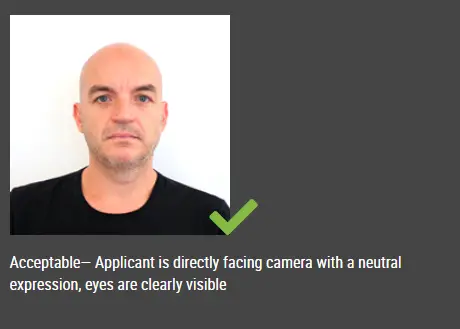
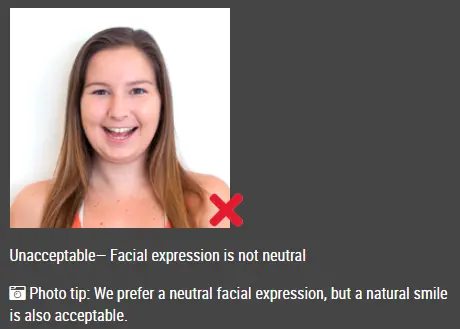
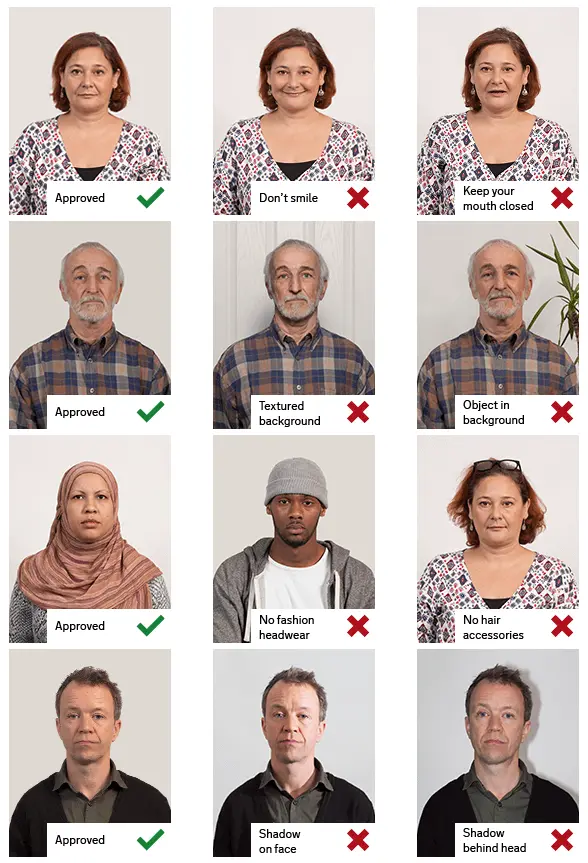
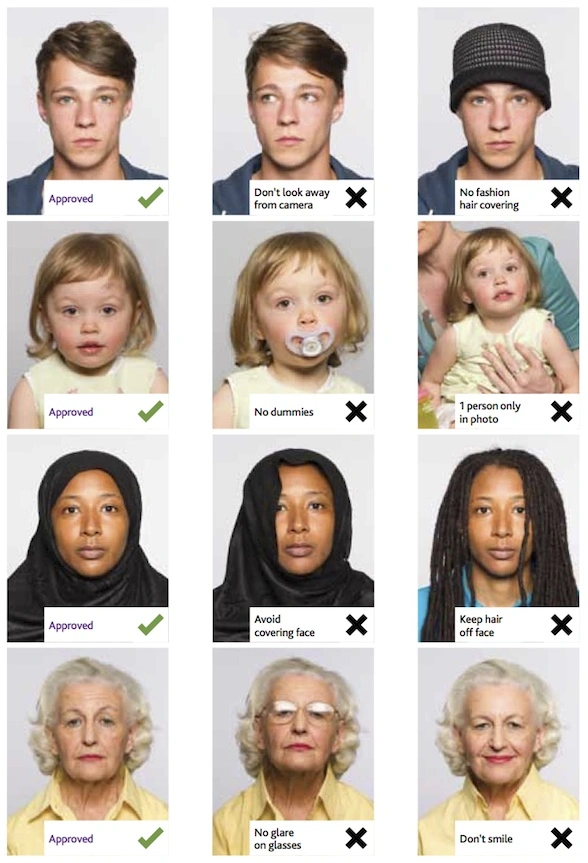
Detailed requirements Last Update: July 24, 2026 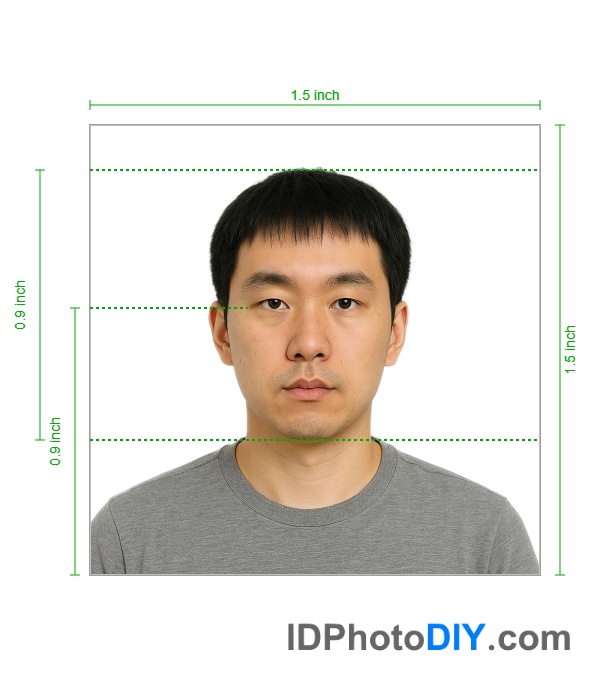 NYC Gun License Photo SizeThe current New York City firearm application photo requirements are:
Our photo tool prepares a square 1000 × 1000-pixel image, which is within the accepted NYC size range. Who Can Use This Photo Format?This photo format is intended for New York City applications handled by the NYPD License Division, including:
The NYPD License Division processes handgun licenses and rifle/shotgun permits for New York City. Applications can be submitted through the NYPD licensing portal. Important: Requirements Outside New York City May DifferThis page covers New York City firearm license and permit applications. New York counties outside NYC may use different application procedures and photograph specifications. Some county licensing authorities may request printed passport-style photographs, different dimensions or additional copies. Applicants outside New York City should check the current instructions provided by their county clerk, sheriff’s office or local licensing authority before creating their photograph. How to Create Your Photo OnlineStep 1: Take a Photo and then Upload the Image to our photo toolAsk another person to take a clear photograph and upload it to our photo tool Step 2: Crop and Position the PhotoOur photo tool will center your face, adjust the background and crop it so that your photo meet the requirements. Step 3: Download the Finished ImageDownload the prepared square photograph. Common Photo Problems to AvoidYour photograph may need to be replaced when:
Always review the latest application instructions before submission. The licensing authority makes the final decision on whether a photograph is acceptable. NYC Handgun License Photo RequirementsFor a standard NYC handgun license application, submit one color photograph taken within the past 30 days. The photograph must:
These specifications apply to standard NYC handgun license application categories. NYC Rifle and Shotgun Permit Photo RequirementsThe standard NYC rifle and shotgun permit application uses the same basic digital photograph specifications. Submit one recent color photograph that:
Frequently Asked QuestionsWhat size should an NYC gun license photo be?The photograph must be square and measure between 600 × 600 and 1200 × 1200 pixels. How recent must the photograph be?The photograph must have been taken within the past 30 days. How many photographs do I need?The standard NYC application requirement is one color photograph. Check your individual application instructions in case the licensing authority requests additional supporting photographs for a special application category. Can I take the photograph using my phone?Yes. A modern phone camera can produce a suitable photograph. Use good lighting, position the camera at eye level and avoid filters. Upload the original image so it can be cropped and resized without unnecessary loss of quality. Can I wear glasses?Avoid dark or tinted glasses that obscure your eyes or make identification difficult. Ordinary clear glasses may still create reflections, so removing them can help produce a clearer photograph. Can I smile in the photograph?Use a natural expression and keep your full face visible. Avoid exaggerated expressions that significantly change your appearance. Where do I submit my application?Standard NYC handgun license and rifle/shotgun permit applications are handled through the NYPD License Division. The NYPD provides access to its online licensing portal from its Permits and Licenses webpage. |
|||||||||||||||||||||||
| Source | https://www.uscis.gov/working-unite... | ||||||||||||||||||||||