United States DV lottery Photo Maker
2x2 inch (51x51 mm, 5.1x5.1 cm) Size and Requirements


| Country | United States | ||||||||||
| Document type | DV lottery | ||||||||||
| Passport picture size | Width: 2 inch, Height: 2 inch | ||||||||||
| Resolution (DPI) | 600 | ||||||||||
| Image definition parameters | Head must be between 1 -1 3/8 inches (25 - 35 mm) from the bottom of the chin to the top of the head |
||||||||||
| Background color | White | ||||||||||
| Printable photo | Yes | ||||||||||
| Digital photo for online submission | Yes | ||||||||||
| Digital photo size | Width: 600 pixels , Height: 600 pixels | ||||||||||
| Photo Paper type | matte | ||||||||||
|
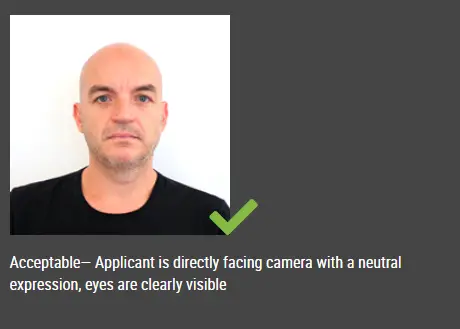
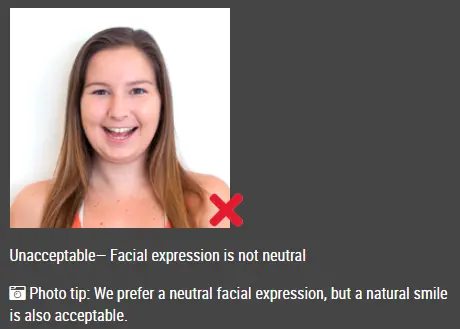
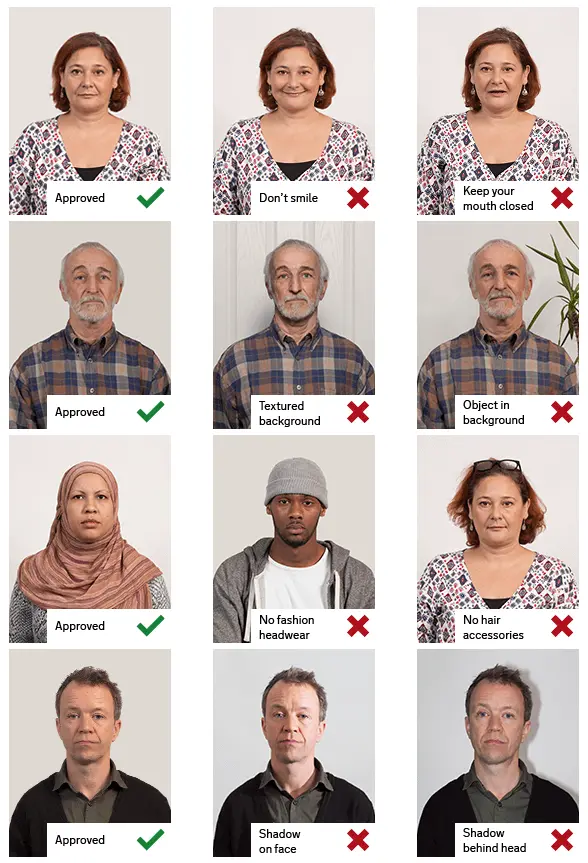
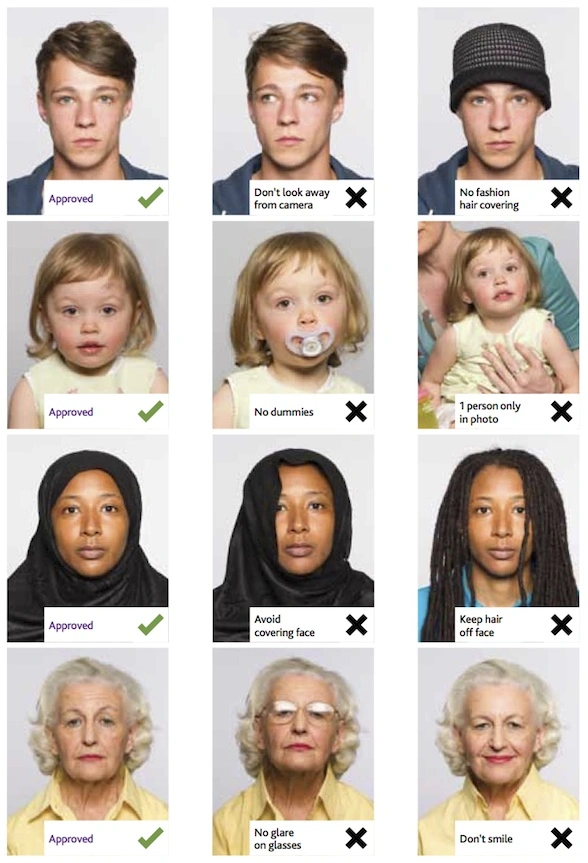
Detailed requirements Last Update: July 27, 2026 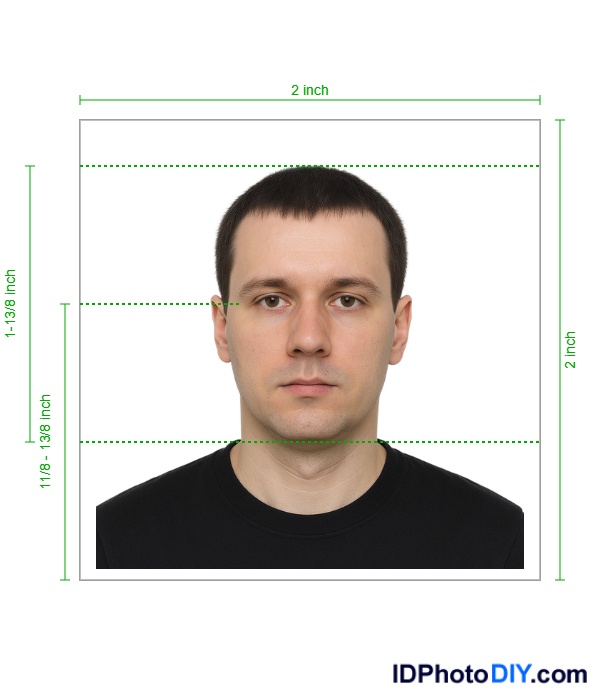 Your photos or digital images must be:
Digital Image Requirements
The digital image must adhere to the following specifications:
Want to scan an existing photo?
In addition to the digital image requirements, your existing photo must be:
Additional Requirements for the Diversity Visa (DV) Program
Diversity Visa Program Entrants If you are entering the Diversity Visa (DV) Program online, you must upload your digital image as part of your entry. Your digital image must be:
Scanning an Existing Printed PhotoA recent printed photograph may be scanned, but it must first meet the standard printed-photo requirements. The original printed photo should be:
Scan the photo at a resolution of 300 pixels per inch. The final digital file must still be:
Diversity Visa Program Selectees
Each DV applicant will need to bring two (2) identical photos to the interview. Your photos must be:
DV Lottery Photos for Babies and ChildrenEvery person included in a Diversity Visa entry needs an individual photo that meets the requirements, including babies and young children. Only the child should appear in the image. Do not show:
For a baby, place the child on a plain white or off-white sheet and take the photo from directly above. Make sure:
A young child should look toward the camera with the eyes open whenever possible. Prepare Your DV Lottery Photo With Our DV Lottery Photo maker Upload your recent photo and create a square 600 × 600-pixel image for your Diversity Visa entry. The passport photo tool can help you:
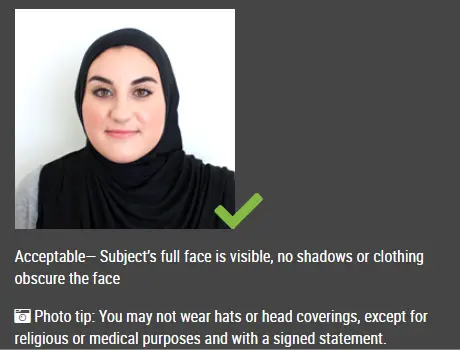
Frequently Asked QuestionsWhat size must a DV Lottery photo be?The digital photo submitted with an online Diversity Visa entry must be exactly 600 × 600 pixels. What is the maximum DV Lottery photo file size?The JPEG file must be 240 KB or smaller. Which file format should I use?Use JPEG or JPG format. Can I take my DV Lottery photo with a phone?Yes. A phone camera may be used when the resulting photo is clear, properly lit and correctly composed. Avoid a close-up handheld selfie. Ask another person to take the photo or use a tripod and timer. Can I smile in my DV Lottery photo?Use a neutral facial expression with both eyes open. Avoid a broad or exaggerated smile. Can I wear glasses?Eyeglasses are generally not allowed in new U.S. visa photos. Remove them before taking your DV Lottery photo. Can I wear a head covering?A head covering may be worn for a religious purpose when it is normally worn every day. It must not cover the face or cast facial shadows. Fashion hats, caps and nonreligious head coverings should be removed. Can I reuse last year’s DV Lottery photo?Use a photo taken within the last six months that reflects your current appearance. An older photo may not meet the requirement even when your appearance seems unchanged. Can I submit a passport photo?You may use a passport size photo only when it is recent and meets every DV digital requirement, including the exact dimensions, file type and file-size limit. Do not scan or copy the image directly from your passport. Can I submit a black-and-white photo?No. The image must be in color. Sources: https://travel.state.gov/content/travel/en/us-visas/visa-information-resources/photos.html#DV
|
|||||||||||
| Source | https://travel.state.gov/content/tr... | ||||||||||