China (中国) Business Travel Card 300x400 pixels Photo Maker
35x45 mm (3.5x4.5 cm) Size and Requirements


| Country | China (中国) |
| Document type | Business Travel Card 300x400 pixels |
| Passport picture size | Width: 35 mm, Height: 45 mm |
| Resolution (DPI) | 600 |
| Required file size | 0-240 KB |
| Image definition parameters | |
| Background color | White |
| Printable photo | Yes |
| Digital photo for online submission | Yes |
| Digital photo size | Width: 300 pixels , Height: 400 pixels |
| Photo Paper type | matte |
|
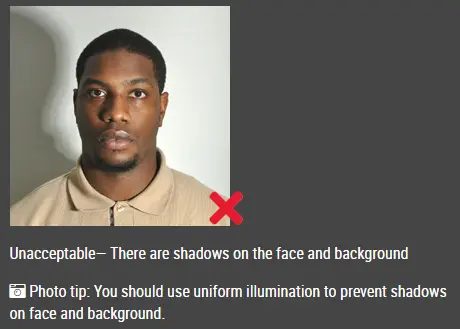
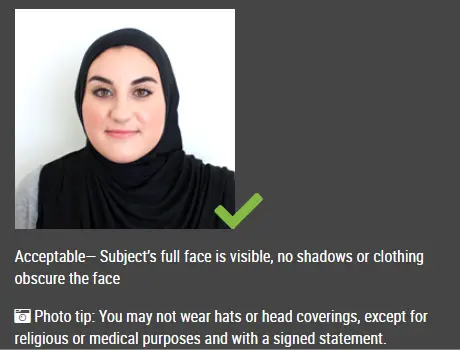
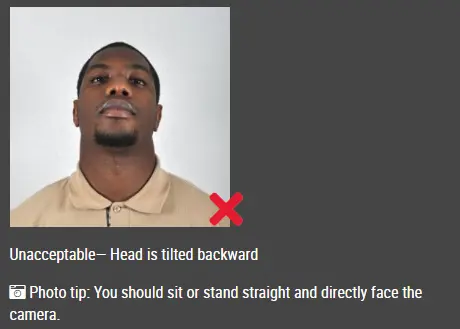
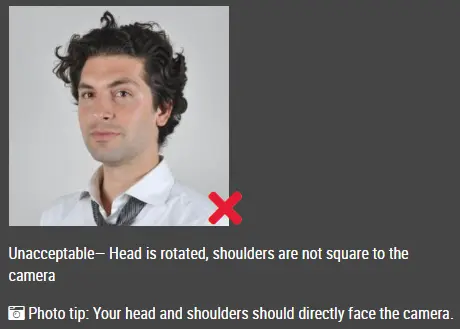
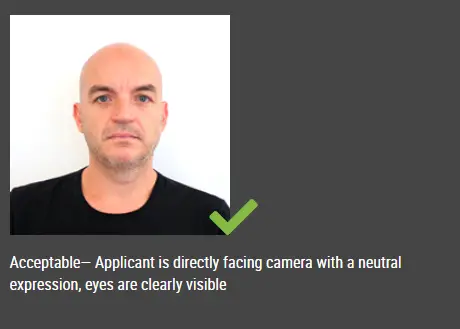
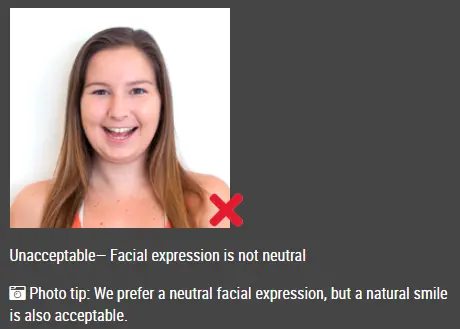
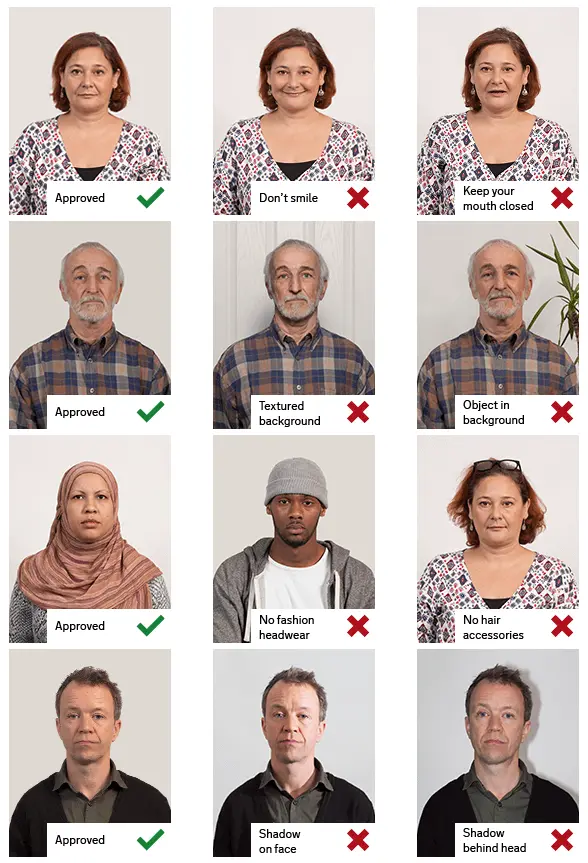
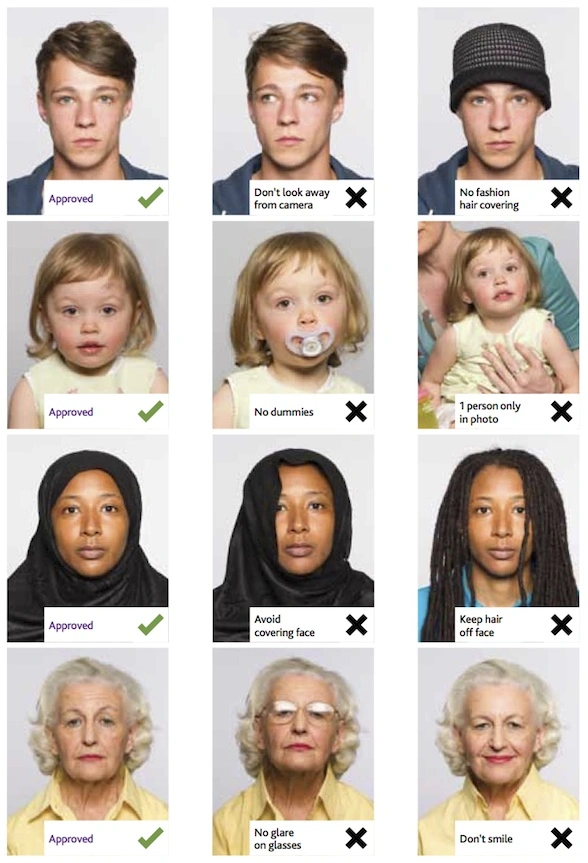
Detailed requirements Last Update: July 27, 2026 Photo Requirements at a Glance Size: 300 × 400 pixels Orientation: Portrait Background: Plain white Photo type: Recent color photograph Head position: Straight and centered Expression: Natural and neutral Image quality: Clear, sharp and evenly lit Taking the Photo You do not need professional studio equipment. A modern phone camera can produce a suitable photo when the lighting and positioning are correct. Stand in front of a clean white wall. Face the camera directly and keep it at eye level. Ask someone to take the photo, or place the phone on a stable surface and use the timer. Leave enough room around your head and shoulders. Do not crop into the top of your hair or the bottom of your chin. Avoid holding the camera too close to your face. Close-up selfies can make facial features look distorted and may also create the wrong angle. Background and Lighting Use a plain white background without visible patterns, furniture, doors or other objects. Try to stand a short distance away from the wall. This helps reduce shadows behind your head. Natural daylight usually works well, especially when facing a window. Avoid direct sunlight, as it can create strong shadows or make part of your face appear too bright. Your face should be evenly lit, with no dark areas around the eyes or chin. Face Position and Expression Look directly into the camera and keep your head upright. Both eyes should be open and clearly visible. Keep your mouth closed and use a relaxed expression. A slight natural expression is fine, but avoid a wide smile, visible teeth or an exaggerated facial expression. Make sure your hair does not cover your eyes or the outline of your face. Glasses and Headwear It is usually best to remove glasses before taking the photo. Reflections from lenses can hide the eyes, even when the glasses appear clear. Do not wear sunglasses or tinted lenses. Hats, caps, headphones and large accessories should also be removed. Religious or medical head coverings may be acceptable as long as the face remains fully visible. Clothing Wear ordinary clothing that contrasts with the white background. Dark or medium-colored clothing is usually easier to distinguish from the background than a white shirt or jacket. Avoid clothing that covers part of your chin, neck or face. Common Upload Problems The most common issues are incorrect dimensions, poor lighting and a background that is not fully white. An image may also be refused when the face is too small, cropped too closely or positioned off-center. Check that the final photo is exactly 300 × 400 pixels. Resizing should not make the image look narrow, wide or distorted. The upload portal may reject the file for technical reasons even when the photo itself looks correct. In that case, check the permitted file format and maximum file size. How to Create Your 300 × 400 Pixel Photo with IDphotoDIY.com Upload your photo to our passport size photo maker to create a 300 × 400 pixel image for your China APEC Business Travel Card application. You can get a 100% compliant photo within 1 minute. Just follow the steps below:
Frequently Asked Questions What size is a China APEC Business Travel Card photo? The required digital dimensions are 300 pixels wide by 400 pixels high. Does the photo need a white background? Yes. Use a plain white background without visible objects, patterns or shadows. Can I take the photo with my phone? Yes. Keep the phone steady, place the camera at eye level and use even lighting. Can I use a selfie for my China APEC Business Travel Card photo? A selfie is not ideal because the camera may be too close or held at the wrong angle. A timer or another person will usually give a better result. Can I smile for my China APEC Business Travel Card photo? A neutral expression is the safest choice. Keep your mouth closed and look directly at the camera. Can I wear glasses for my China APEC Business Travel Card photo? Removing glasses helps prevent glare and makes sure both eyes remain visible. Can I edit the photo for my China APEC Business Travel Card photo? You can crop and resize the image and correct the background if needed. Avoid filters or edits that change your facial features or natural appearance. Why is my photo not uploading? Check the image dimensions, file type and file size. You can use IDPhotoDIY.com to help ensure your photo meets all requirements.
Source: https://wb.beijing.gov.cn/home/wswm/crjxx/bszn/apec/apec_zn/201912/t20191219_1334670.html |
|
| Source | |